

Billing
Invoices priced off the metering ledger: the authoritative record of what was actually billed, reconciled to the cent.
Budgets is the pre-call check: it can refuse a call before it spends anything. Billing is the after-the-fact ledger of every call that did spend, priced and totalled.
Every figure on this page reconciles to SUM(metering_events.cost_usd) for
the period, the same ledger the budget gate checks against, not a separate
analytics pipeline. This page never depends on the observability stack being
up.
Reading an invoice
Pick a billing month, a single day, or a date range from the calendar picker. A single day or a whole month gets a real invoice with reconciliation and a pricing snapshot; a multi-day range only has a plain usage summary; there is no per-range invoice.
| Section | What it shows |
|---|---|
| Reconciliation | The invoice total compared against the ledger sum for the period. A green "Reconciled" badge means they're equal; a red alert means they aren't, and the ledger figure is the one to trust. |
| Line items | Cost broken down by model: calls, tokens, and the billable cost. A "recomputed" column re-prices the same tokens through the current rate card for transparency; per-call floors mean it can differ slightly from the billed figure. |
| Daily spend | A day-by-day chart and table for the period, clickable to narrow the whole page to one day. |
| Pricing snapshot | The exact rate card this invoice was priced with, identified by a content-addressed id, so the invoice is reproducible later, not just a number you have to trust. |
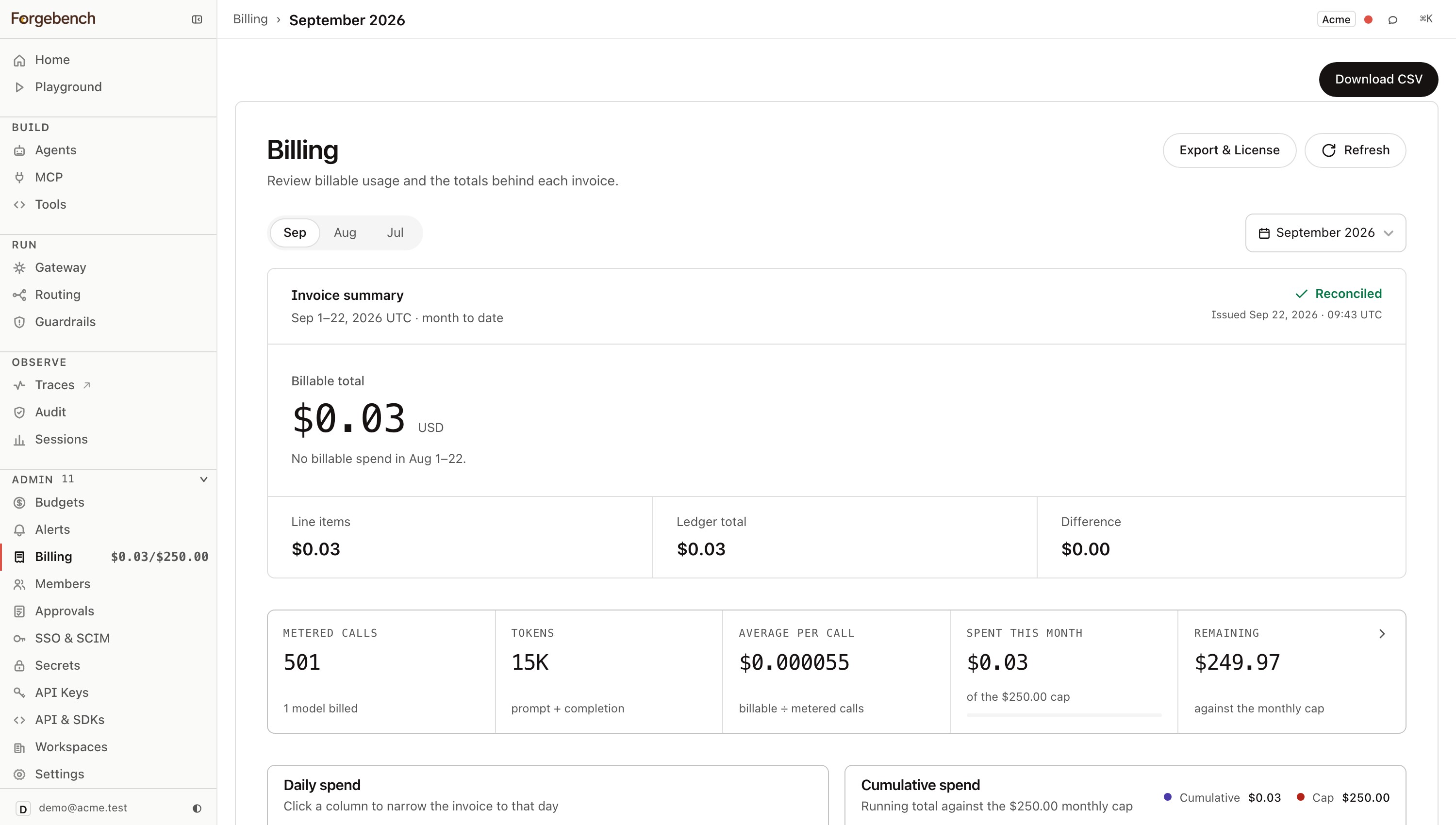
Download the current view as CSV with Download CSV: the same line items shown on screen, serialized client-side.
Your plan
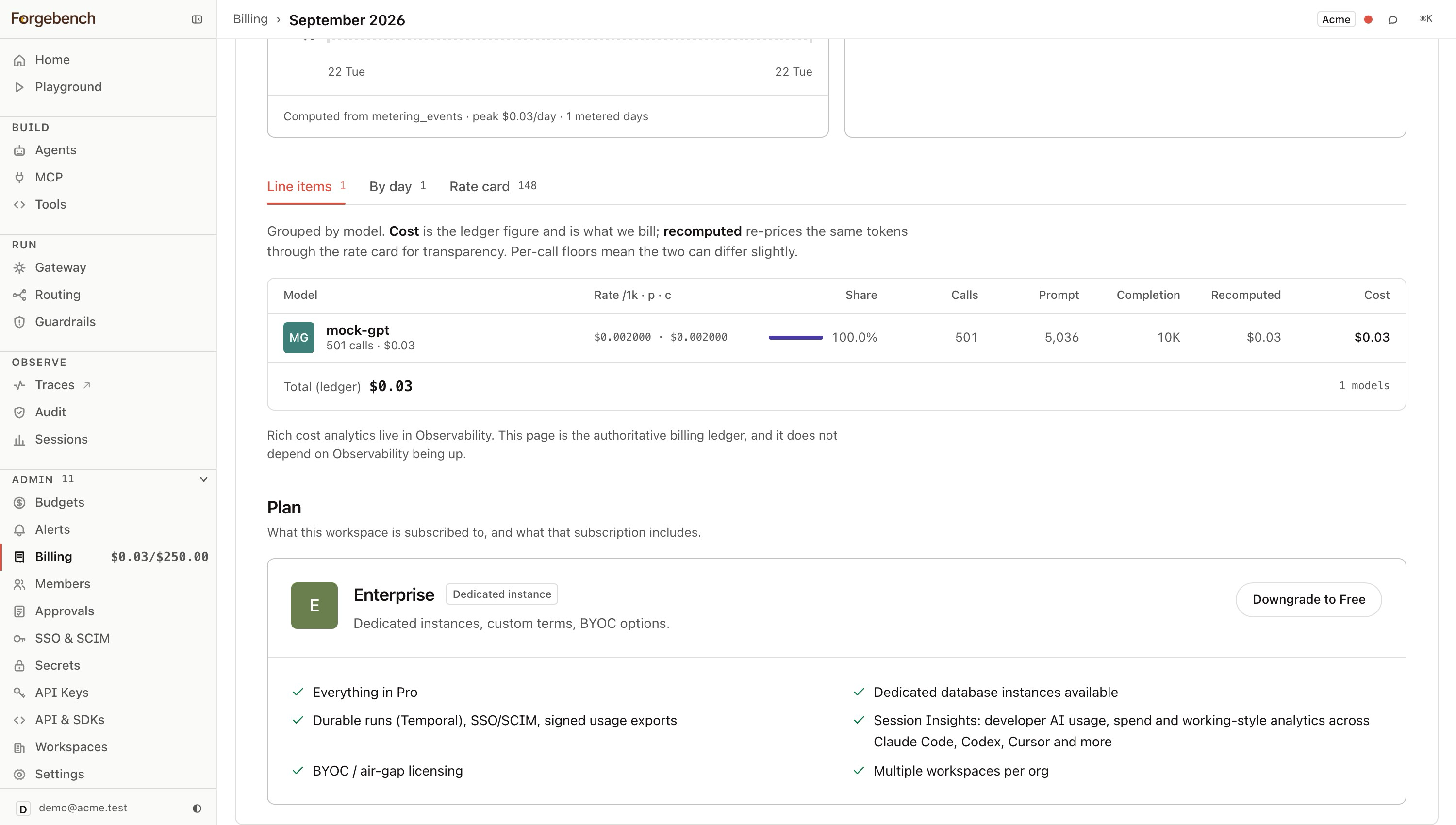
The plan card at the top of this page shows your current tier, its price, and a button for every other self-serve plan you could move to. The Limits table beneath it is read live off the plan catalog, so it's never a copy that can drift from what's actually enforced. The table below is the full picture: every numeric limit and every page-level entitlement, side by side.
| Limit / feature | Free | Pro | Enterprise |
|---|---|---|---|
| Price | $0/month | $99/month | Custom |
| Tenancy | Shared gateway and observability infrastructure | Isolated: dedicated Langfuse and gateway pods, own trace database, queue, and encryption keys | Isolated, same as Pro, plus dedicated database instances available |
| Seats | 3 | 25 | Unlimited |
| Workspaces per org | 1 | 1 | Multiple |
| Default monthly budget cap | $10 | $250 | $1,000 |
| Agents | 2 | Unlimited | Unlimited |
| MCP servers | 2 | 25 | Custom |
| Governed requests/month | 10,000 | 500,000 | Custom |
| Tool calls/month | 10,000 | 1,000,000 | Custom |
| Hash-chained audit log | — | 365 days | Configurable |
| Trace retention | 3 days (not yet enforced server-side) | 30 days | Configurable |
| SSO | — | ||
| SCIM provisioning | — | — | |
| Approvals | — | ||
| Cost / invoice reporting | — | ||
| Agent lifecycle (versioning, rollback, retire) | — | ||
| Outbound guardrails (PII/secrets/denylist scanning, auto-pause) | — | ||
| RAG and Visual Builder modules | — | ||
| Durable runs (Temporal) | — | — | |
| Session Insights (Claude Code, Codex, Cursor, and more) | — | — | |
| Signed usage exports | — | — | |
| BYOC / air-gapped deployment | — | — |
Every row above is enforced server-side at the same chokepoint that admits or rejects a call, not a marketing description: hitting a numeric limit returns 402 at the API, and opening a page without the entitlement shows the lock card below instead of the feature.
Upgrading
Open Billing
Every self-serve plan above your current one shows its own button:
Upgrade to <plan>: $<price>/mo.Click it
You're sent to Stripe Checkout to complete payment.
Complete checkout
On return, a banner confirms:
Payment received: your plan is being activated.The plan card and every newly-unlocked page update once the payment webhook lands.
Already on a paid plan and just need to update a card or see past invoices? Manage billing on the same card opens the Stripe customer portal directly; no plan change involved.
Downgrading
Click the lower plan's button
Reads
Downgrade to <plan>; free readsDowngrade to Free.If you have more than one active workspace, choose which to keep
Downgrading allows only one active workspace. A Select Workspace to Keep Active dialog opens automatically, defaulted to your primary workspace; change the selection if a different one should stay live.
Confirm
Every workspace other than the one you kept freezes immediately: read-only, not deleted. Their data, agents, and logs are preserved untouched, and re-upgrading to a plan with multiple workspaces unfreezes all of them again.
Export & License
Reading a live ledger works when Forgebench can see it. When Forgebench runs inside your own cluster (BYOC or air-gapped), nobody outside it can, so billing has to travel out as a document instead, and entitlement has to be verified locally rather than checked against a server you control. Export & License, linked from this page, is that surface:
| Block | What it is |
|---|---|
| License | An offline-verified (Ed25519-signed) entitlement: tier, caps, and how much headroom remains against live usage. This is the same entitlement the chokepoint checks before admitting a call; what shows red here is what returns a 402 there. |
| Signed usage report | A usage total for a billing month, anchored to the immutable audit hash-chain (a seq range, head row hash and Merkle root per tenant) and signed by the deployment's key. Altering one governed call changes the Merkle root; the number is tamper-evident, not just asserted. |
| True-up | Licensed allowance vs. metered usage vs. overage vs. total due: what gets billed on top of the flat tier, computed the same way regardless of who's reading the report. |
A recipient of the signed report re-canonicalizes it and verifies the signature against the deployment's published public key (also shown on this page), so the report is self-verifiable without trusting whoever sent it.