

Budget pools
A budget pool is a monthly cap shared by a group of API keys. A pool is either a developer pool (people's keys and service keys for pipelines) or an agent pool (agents' credentials), never both. Spend is counted against the key that made the call, so every call a member key makes counts against the pool, on top of the workspace, key, model and agent caps. Whichever cap is reached first blocks the call.
Pools are available on the Pro and Enterprise plans. They live on Budgets → Pools.
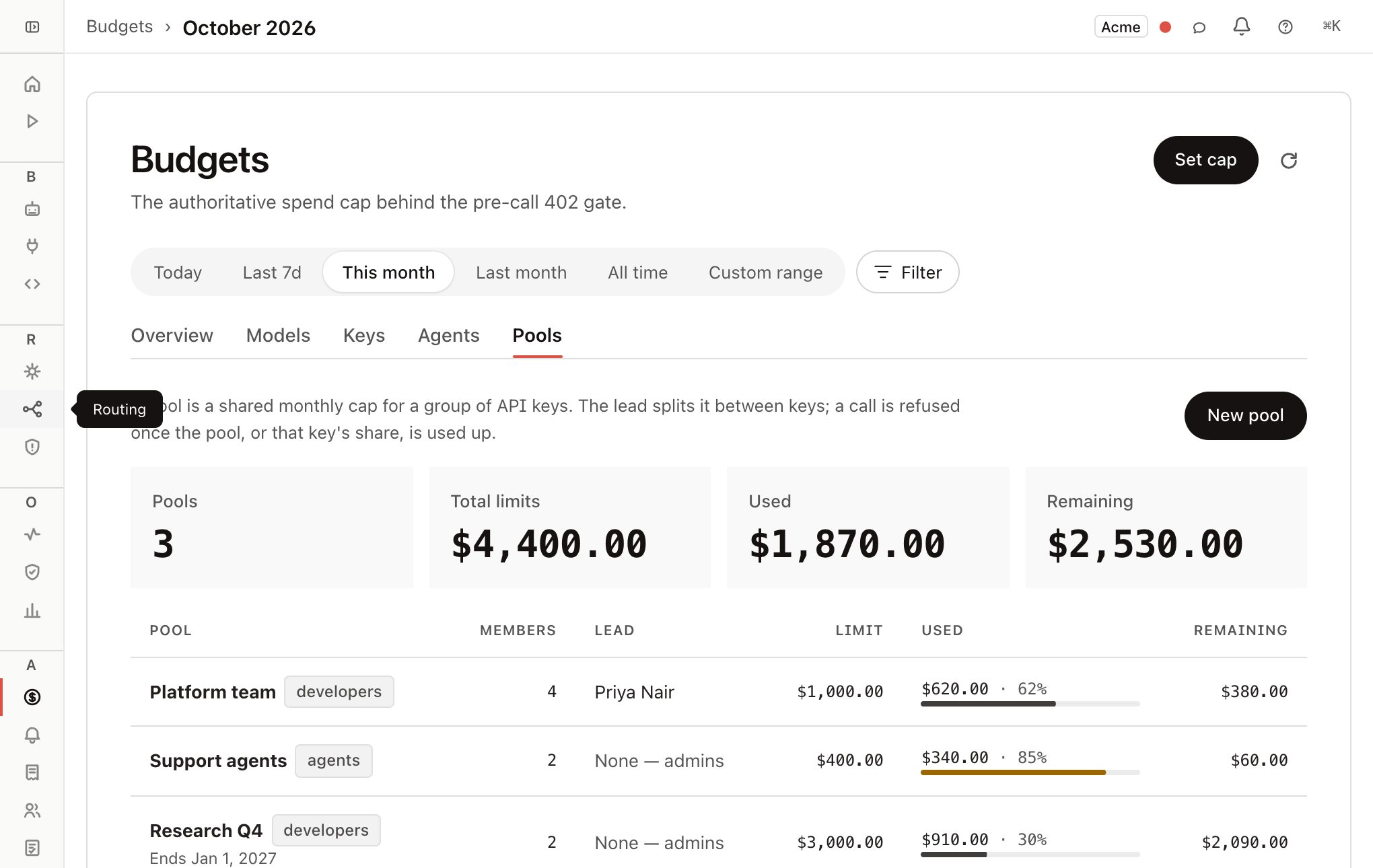
How a pool applies to a call
When a call arrives, Forgebench looks up the pool of the API key that made it. A key is in at most one pool, so a charge is never ambiguous. A person with several keys can have a key in each of several pools. A call from the console, which is signed in as a person and uses no API key, is not charged to a pool.
The call is refused before it reaches the provider if any of these fail:
| Check | Refusal |
|---|---|
| The pool's monthly limit would be exceeded | 402 pool_budget_exceeded |
| The caller's share of the pool would be exceeded | 402 pool_member_share_exceeded |
The check uses the projected cost of the call, the same way the other budgets do. A key's own budget and its pool are both enforced, and the key budgets of a pool's members may add up to more than the pool. The refusal says which limit was hit and who owns it, for example: Key "laptop" (Ada) has used its $25.00 share of budget pool "Platform" ($24.90 spent this period). Ask Priya to raise the share. See Pool API and errors for the response bodies.
Rules that hold for every pool:
- A key is in at most one pool.
- A pool holds one kind of key. A developer pool takes keys that are not an agent's credential; an agent pool takes agent credentials only. You choose the kind when you create the pool, and it cannot be changed afterwards.
- A pool's limit cannot be higher than the workspace's monthly budget.
- A pool does not replace the other caps. A key with its own daily cap still stops at that cap inside a pool.
Create a pool
Only admins create pools.
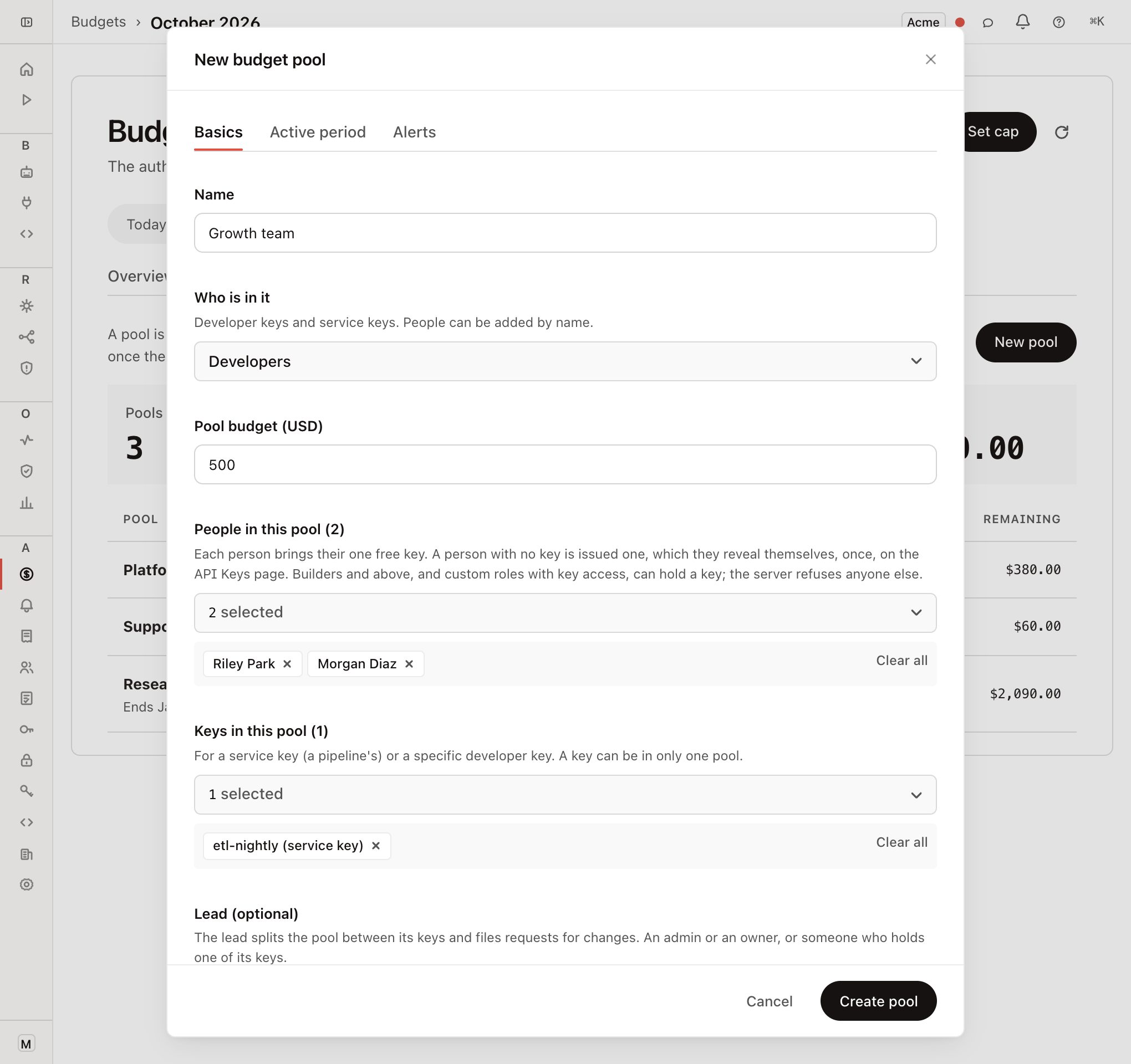
Open the form
On Budgets → Pools, click New pool.
Basics: name, who is in it, limit
Under Who is in it, pick Developers or Agents. Set the pool budget in USD, a monthly cap unless you give the pool a span. For a developer pool, add people, keys, or both: a person brings their one free key, or is issued one if they have none (see below), and a key can be a service key or a specific developer key. For an agent pool, add the agents' keys; there are no people. A key already in another pool is dimmed; hover over it to see which pool.
Pick a lead (optional)
The lead divides the pool between its keys and can file requests for changes. The lead must be an admin or an owner, or someone who owns one of the pool's keys. With no lead, only admins change shares.
Choose how the limit is shared
Leave Share the limit equally on for an equal split. Turn it off to type an amount per key. See Shares and burst.
Active period (optional)
Set a start day and an end day, and turn on the forecast if you want a warning before the pool runs out.
Alerts (optional)
Choose the percentages and who is told. When you pick a lead, their email is added to the alert list for you. See Pool alerts.
Click Create pool
The pool applies to the next call. If the button is disabled, the reason is shown at the bottom of the form.
Adding a person who has no key
A pool needs a key to charge, so adding a person to a developer pool gives them one (agent pools have no people):
- With one key that is in no pool yet, that key is used and nothing new is issued.
- With no key, a key is issued for them, owned by them and not yet usable. They are notified, in the bell and on the notifications page, and reveal it on API Keys. The secret is shown to them once. The admin who added them never sees it.
- With several free keys, Forgebench asks which one you mean. Add that key instead. The console warns you as soon as you pick the person, and narrows the key list to theirs.
- With keys that are all already in other pools, no key is free, so a new key is issued for them, exactly as if they had none. The console warns you first, naming the keys and the pools they are in, so you can add one of those keys explicitly (after moving it) if a new one isn't what you want.
Only builders, admins and owners can hold a key, and so can members whose custom role includes key access. Anyone else is refused. The share of a pool is split per key, so a person who holds two keys in one pool has two shares.
A key stops counting as a member when it can no longer spend: when it is revoked, when its owner is deactivated, or when its agent is retired. The remaining keys' shares go up.
Form reference
| Field | What it does |
|---|---|
| Pool budget | The most the pool can spend in a month. For a pool that applies over a whole span, the budget for the span. Stored and returned by the API as monthly_limit_usd. |
| Starts on / Ends on | The pool only applies from the start day through the end day. Both days are included, in your browser's time zone. Leave both empty for a pool with no end. |
| The limit applies | Each month resets the limit monthly while the pool is in force. Over the whole span is one limit for everything between the two dates and needs both. |
| Forecast | Projects when the pool runs out from the last seven days of spend, and sends an alert if that is before the period ends. The alert goes to the people the pool's alert settings tell. |
Who sees what
| Role | Can do |
|---|---|
| Admin or owner | See every pool. Create, edit, archive and delete pools. Add and remove members. Change shares. |
| Pool lead | See their pool and everyone's usage in it. Change shares and burst. File requests for a higher limit and for new members. |
| Key owner | See a pool that holds one of their keys, its share and its usage. Ask for a bigger share for a key they own. |
| Everyone else | Cannot see the pool. Requests for it return 404. |
Admins and owners always see the Pools tab. A viewer or builder sees it only when they own a key in, or lead, at least one scheduled or active pool, and then only their own pools. Anyone else gets the same "admin-only view" panel as the other Budgets tabs.
Forecast visibility
The forecast exists only when it is turned on for the pool. Without it, the forecast endpoint returns 409.
| Who | Sees |
|---|---|
| Admins and the lead | The pool and every member |
| A member | The pool and their own row only |
| Anyone else | Nothing. The request returns 404 |
Status
| Status | Meaning |
|---|---|
scheduled | The start day has not arrived. The pool does not limit anyone yet. |
active | In force. |
expired | The end day has passed. Members are released. |
archived | Closed by an admin. Members are released. The pool stays in the list with its final spend. |
Archive or delete
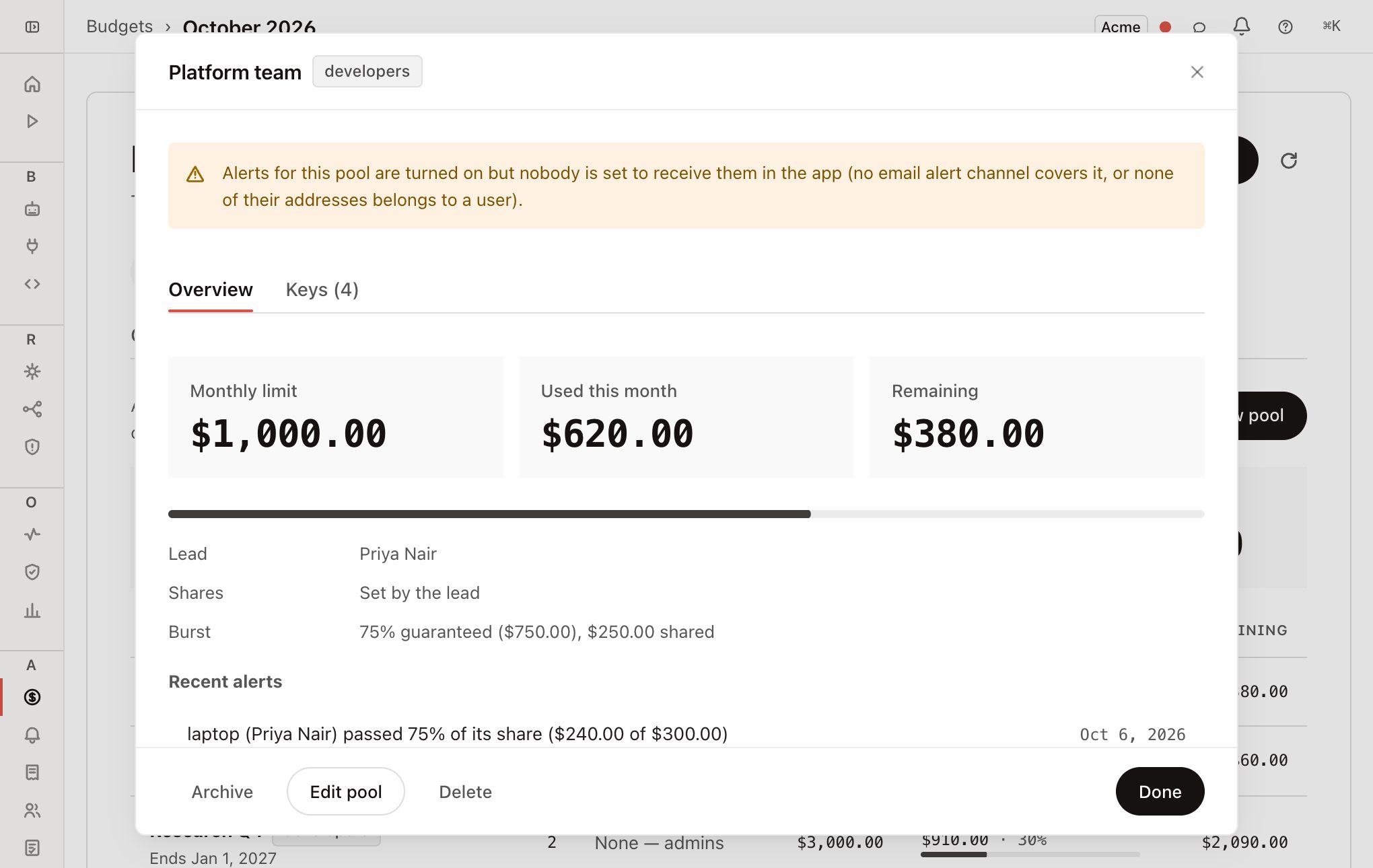
Archive releases the members and keeps the pool in the list. Delete removes the pool for good. On a pool that is still active, Delete releases its members first, in the same step.
Deleting a pool removes its alert history and the email alerts that only watched that pool. Usage records keep their pool stamp, so past spend and totals do not change, and the audit log records the deletion with the pool's lifetime spend.
Neither action can be undone.