

Members and roles
Who is in your workspace, what they can do, and how you narrow that down past the four built-in roles when they do not fit.
Four roles (viewer, builder, admin, owner) cover most tenants. Custom roles exist for cases they don't, e.g. someone who can see the audit log but not touch billing. See Custom roles to build one, or Access requests for the self-serve side of getting into a workspace.
Inviting someone
Members → Invite
Enter an email, and pick a role — one of the four system roles below, or a custom role already defined in this workspace.
They receive an email with a link to accept
Opening it shows a preview — which workspace, and which role — with Accept or Decline. Accepting does not create anything by itself; it only moves to the next step.
They set a password, or continue with SSO
On a workspace with password sign-in, accepting asks for a password: that one submission is what actually creates their account, in the invited role. On an SSO-enforced workspace there is no password step at all — accepting sends them straight to your organization's SSO login instead, and their invited role carries over the moment they complete it.
The page is four tabs: Members (below), Invites, Requests (see Access requests), and Roles (see Custom roles).
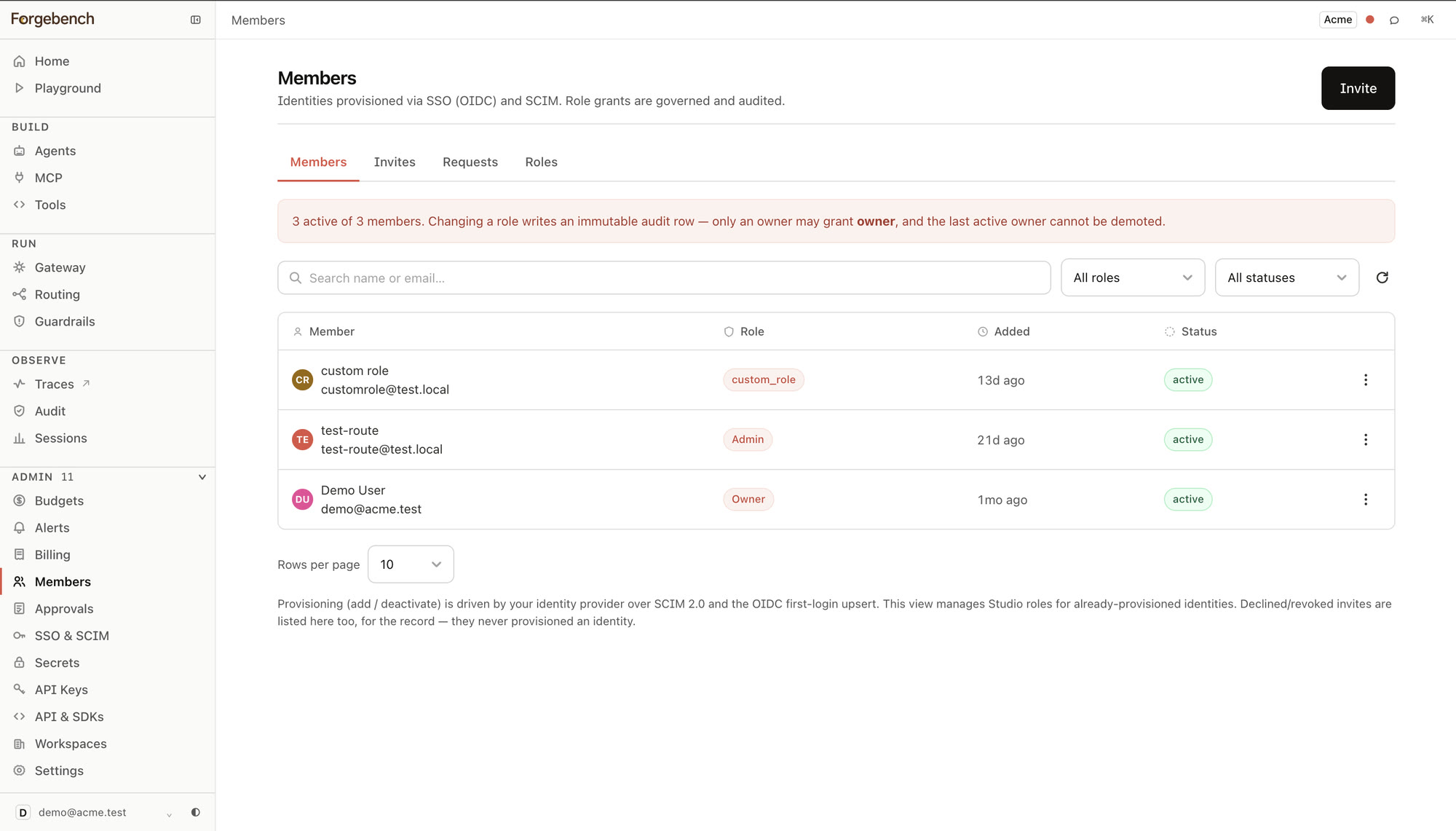
This view only manages the Forgebench role of an identity that already exists. Actually adding or deactivating one is driven by your identity provider — SCIM 2.0 provisioning, or the OIDC upsert on a person's first SSO login — not a control this page exposes directly.
The four system roles
A linear hierarchy, where each role includes everything the one below it can do:
| Role | Roughly |
|---|---|
| Viewer | Read-only: see agents, runs, audit, billing. |
| Builder | Viewer, plus the build/run loop — chat, agents, playground, gateway, routing. |
| Admin | Builder, plus governance: keys, SSO/SCIM, audit, metering, guardrails. |
| Owner | Admin, plus the handful of actions reserved for the last line of defence: granting the owner role, and changing or deactivating another admin/owner. |
These are not database rows. A member's role is a rank on their identity,
and every gate in the control plane checks that rank against a floor:
require_role("builder") admits builder, admin and owner alike.
A custom role replaces this rank entirely rather than adding to it — see that page for what it can and cannot grant, and how to build one.