

Secrets
Per-tenant provider credentials — write-only, vault-encrypted, injected at the chokepoint. Your code never sees them.
Forgebench stores your OpenAI, Anthropic or Gemini credential once, encrypted, and injects it into the outbound call at the chokepoint. Your agent code authenticates to Forgebench with its own key (see API keys) — never with the provider's. Revoking a compromised provider credential is one action on this page, not a redeploy of everything that used it.
Using Google Vertex AI? It takes a service-account JSON rather than a single API key; see Google Vertex AI for the setup.
Write-only, by design
| Property | What it means |
|---|---|
| Vault-encrypted | The secret is encrypted at rest with a tenant-bound envelope. |
| Write-only | The API reports which providers are configured, never the key material itself — not to you, not to an admin, not on a second read. |
| Injected at call time | The chokepoint attaches the credential to the provider request server-side. Your request and your logs never carry it. |
| Audited | Setting or removing a credential writes an immutable audit row — see Audit. |
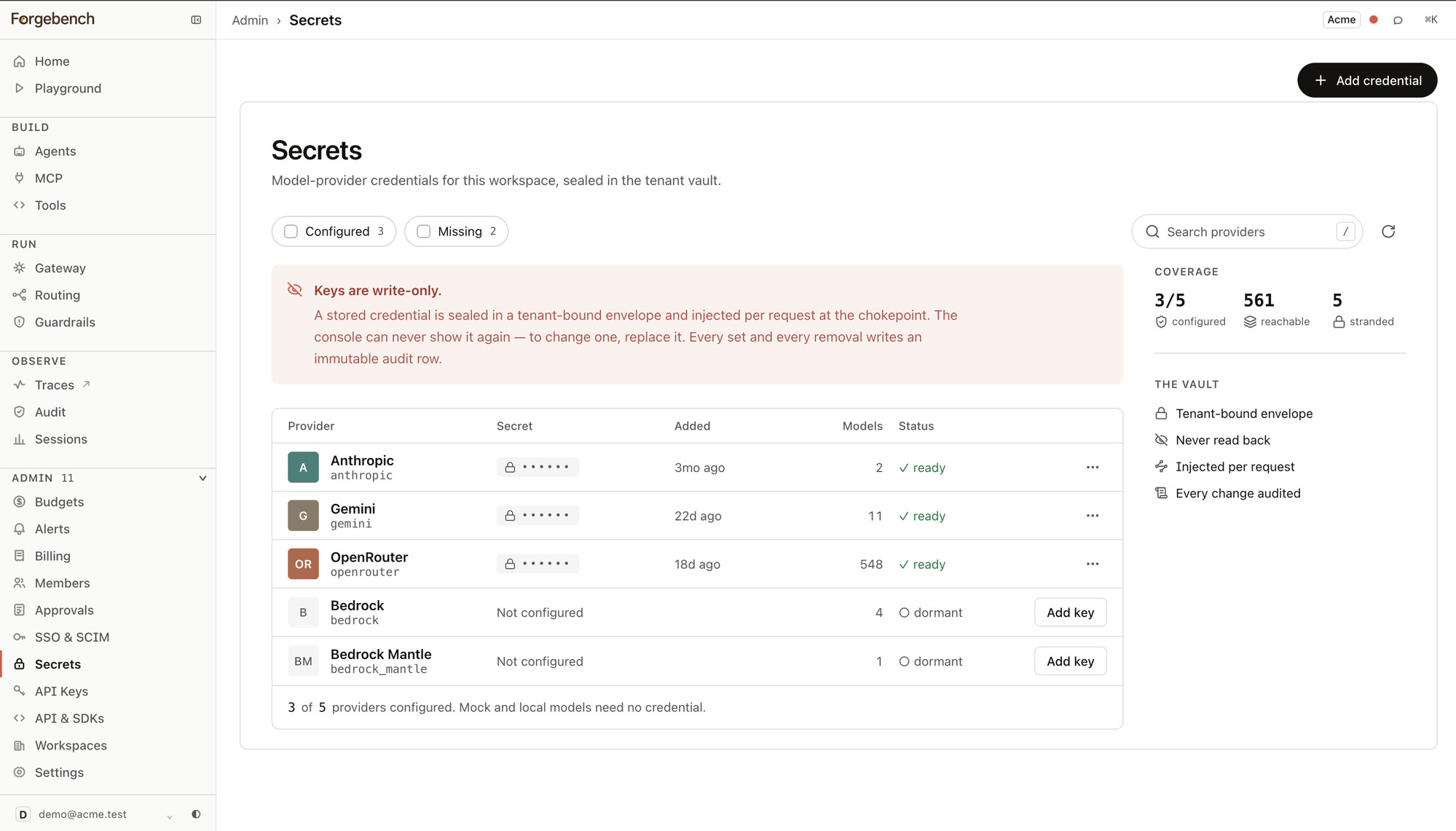
A Coverage panel sums up the whole workspace at a glance: how many providers are configured out of the catalog, how many models that makes reachable, and how many are stranded — cataloged but unreachable because no provider on the list needing them has a credential yet.
Add a credential
Open Secrets
In the sidebar, expand Admin and choose Secrets.
Choose a provider
The list is driven by the gateway's own model catalog, so it only offers providers Forgebench can actually route to — not a fixed guess.
Paste the key and store it
The value is sent once and never echoed back. If you lose track of what you pasted, you cannot recover it here — only replace it.
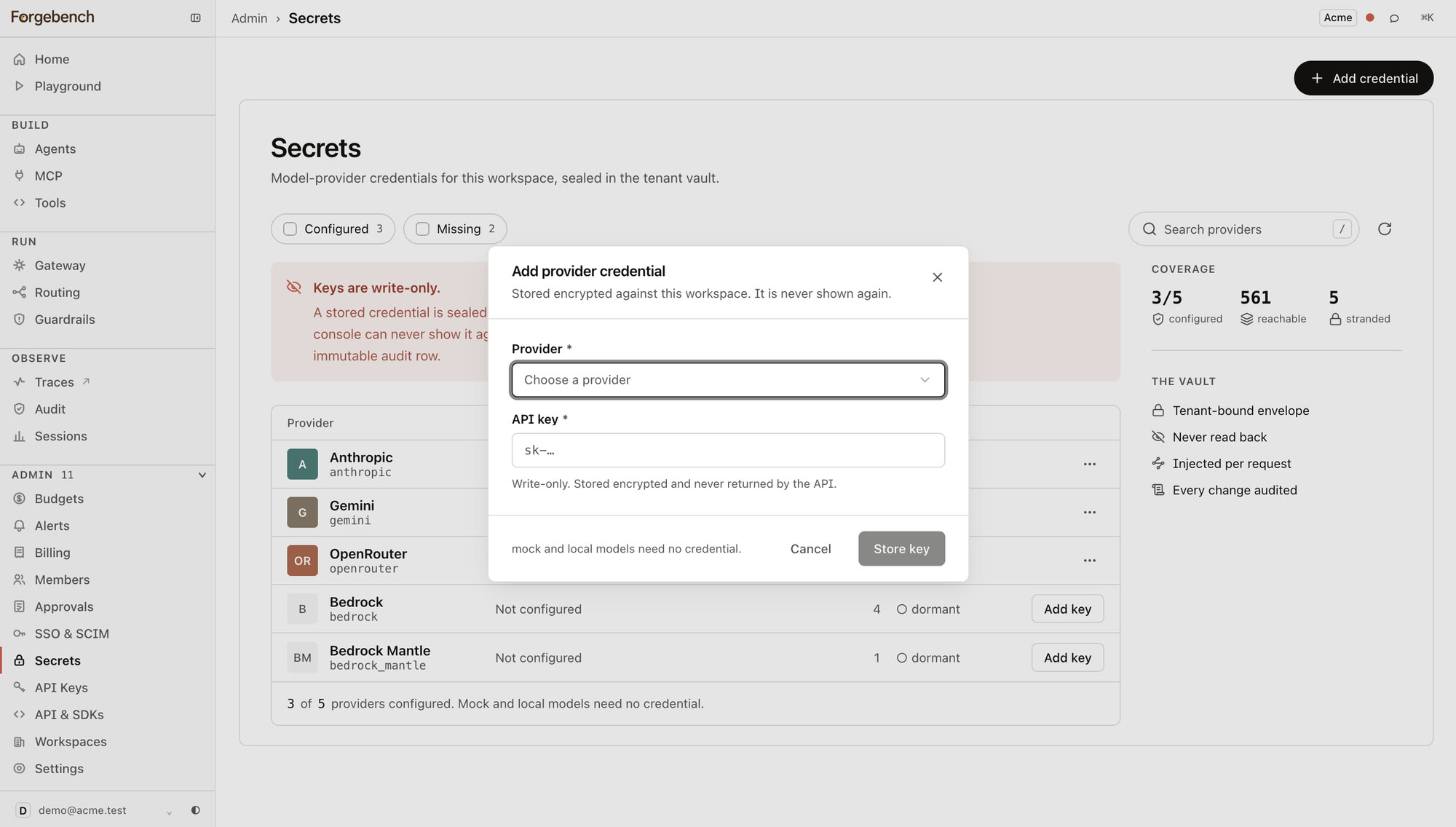
Adding or replacing a provider credential requires the admin role.
Removing a credential
Removal is type-to-confirm: type the provider's name to enable the button. This is permanent — any call that needs that provider fails at the chokepoint until a new key is stored. It writes its own audit row, same as adding one.