

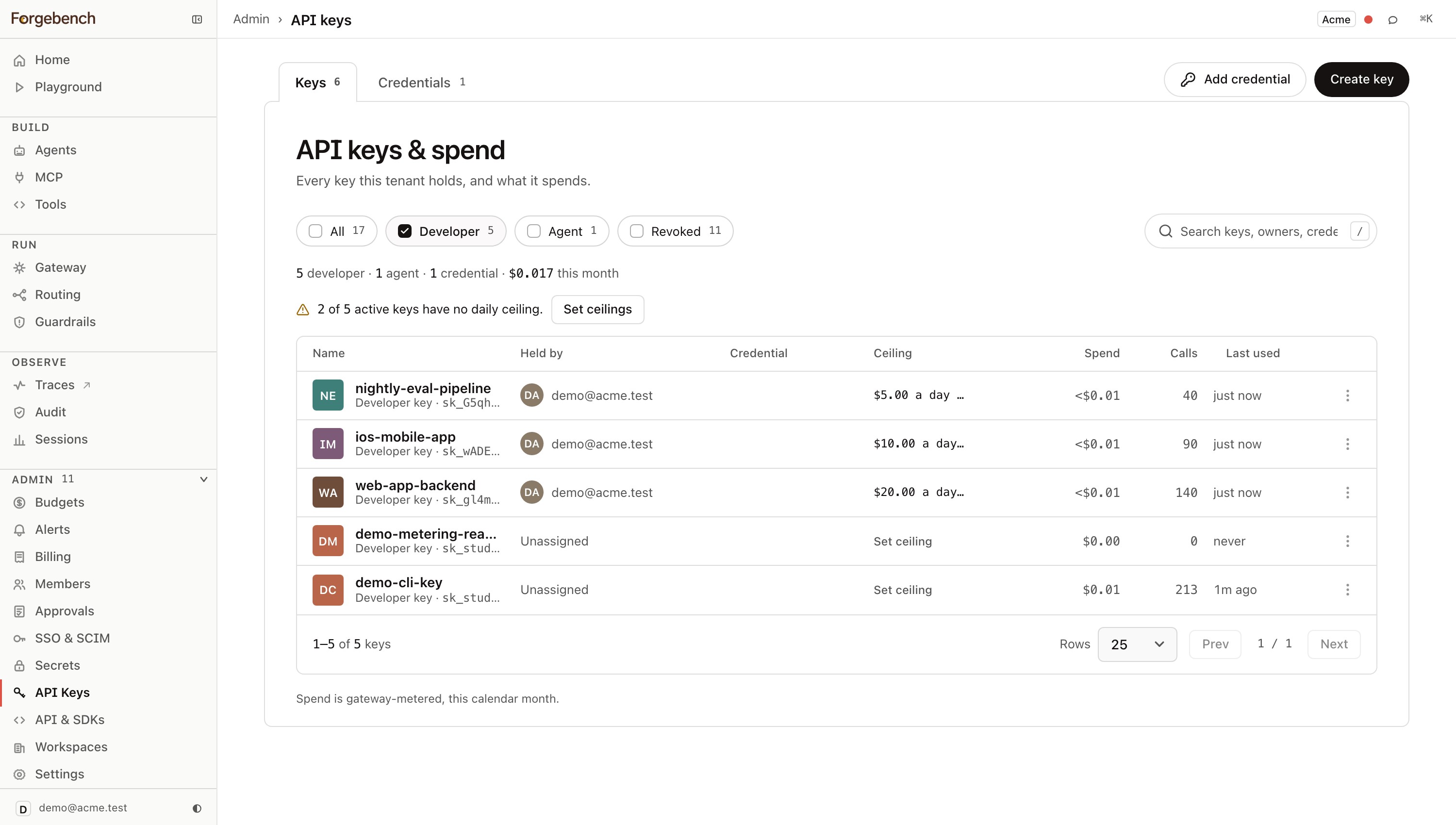
API keys and spend
Where your provider credentials live, where per-developer and per-agent keys are minted, and where each one's spend shows up.
The credential is split into layers: one vault-held provider credential, many scoped keys minted off it, and a spend record broken down by which key spent what.
The three kinds of key
| Kind | What it is | Who holds it |
|---|---|---|
| Provider key | Your actual OpenAI/Anthropic/Gemini/etc. credential. Vault-encrypted, tenant-global (one per provider), injected into the call server-side. | Nobody outside the vault. Your code never holds it or sees it. |
| Developer key | Issued to a person, parented to a provider key. Its calls inject that provider's credential (BYO model) and are constrained to that provider's models. | One developer, attributed by name. |
| Agent key | Belongs to exactly one Agent, never a person. A rotation mints a new secret but keeps the same agent_id, which is what preserves the agent's identity and history across the rotation. | One Agent. |
You can mint many developer keys under one provider key: a common shape is one provider key per provider, with a developer key per person or per environment underneath it. A provider card can be deleted; its dependent developer keys are un-parented, not deleted, so revoking a provider credential doesn't silently destroy the key rows that pointed at it.
Caps and scope, per key
Every developer or agent key carries its own:
- Daily and monthly spend caps (USD). Blank means no ceiling at that key; the workspace budget still applies underneath it.
- Model allowlist. Exact-match against the catalog; an empty list parks the key (denies every model), no list means every catalog model is allowed.
- Scopes. What the key is permitted to call at all, independent of spend.
This is what makes a prototype key and a production key genuinely different
credentials rather than the same secret used carefully: a leaked prototype
key with a $5 daily cap and access to one cheap model is a contained
incident, not an open-ended one, provided you set an explicit scope list.
Leaving Scopes blank at minting time is not the narrow option: an unscoped
key inherits the full default permission bundle of whoever owns it (see
below), not "nothing." To actually narrow a key below what its owner can do,
give it an explicit, smaller scope list: a key can never carry a scope its
creator doesn't hold themselves, but it inherits everything its owner holds
unless you cut that down on purpose. The one addition: a member whose
custom role grants keys:write can give a key
chat:write, so the keys they create can call models. Nothing beyond that.
The secret is shown once
Mint a key
Name it, set its caps and model allowlist, and (for a developer key) pick its parent provider key.
Copy the secret immediately
The raw
sk_...secret is displayed exactly once, at creation. Forgebench stores only a sha256 hash of it; if you lose the secret, there is no way to retrieve it, only to rotate.Rotate instead of losing access
Rotating mints a new secret in place for the same key row. The old secret stops working immediately, but the key's caps, scopes, model allowlist and attribution history stay exactly as they were; nothing needs reconfiguring on the other end except swapping the secret your code uses.
Spend, broken down by key
Because every call is attributed to the key that made it, the spend view is a lookup rather than an investigation: which developer key spent the most this month, which provider key's calls dominate the bill, which agent key is closest to its cap. This is the same metering ledger that backs Budgets; the numbers here and there always agree, because neither is a separate rollup of the other.